

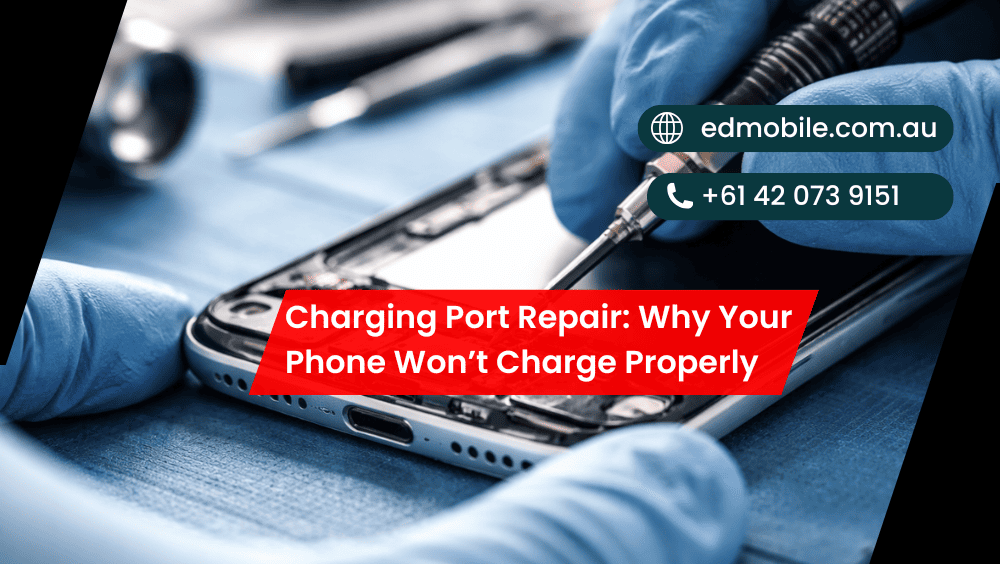
Charging Port Repair: Why Your Phone Won’t Charge Properly
If for some reason your phone only charges at a strange angle, repeatedly disconnects or doesn’t charge at all, you’re not alone. At the end of the day, though, most often it all comes back to one small component you take for granted every single day: that little charging port. Because it rests open to dust, pocket […]
If for some reason your phone only charges at a strange angle, repeatedly disconnects or doesn’t charge at all, you’re not alone. At the end of the day, though, most often it all comes back to one small component you take for granted every single day: that little charging port. Because it rests open to dust, pocket lint, moisture and wear, it may start playing up long before the phone itself does.
In this ED Mobile guide, we’ll explain the typical reasons a phone won’t charge properly and what you can do about it at home, as well as when it’s time to call in the professionals for a proper charging port repair. We’ll also break down what a technician is doing, so you’re not wondering.
Common signs your charging port is failing
A faulty port doesn’t always mean “dead phone”. Often, it starts small and gets worse over time. Look out for:
* Phone charges only if the cable is held in a certain direction
* Charging keeps stopping and starting
* The phone shows “charging” but the battery percentage barely moves
* The cable feels loose or wobbly in the port
* Charging is slow even with a fast charger
* Phone heats up around the port while charging
* You see debris, corrosion, or bent pins inside the port
If you experience more than one of these symptoms, it’s likely the chances are high that you’re dealing with a charging port issue rather than an odd bug. Get details on Phone Repair in Bossley Park.
Why your phone won’t charge properly (top causes)
1) Pocket lint and debris blocking the connection
This is the big one. Over weeks and months, lint packs down inside the port like felt. Even if your cable “clicks in,” it may not be making a proper connection. As a result, power delivery becomes unstable, then charging becomes unreliable.
2) Damaged charging cable or adapter
Before blaming the phone, swap your cable and wall adapter. Cables fail all the time, especially near the connector ends. Also, cheap adapters can cause unstable voltage which looks like a port issue.
However, if multiple known-good cables don’t work properly, the phone is the problem.
3) Worn or broken port pins
Ports wear out. Plugging and unplugging, tugging cables out from behind the bed, and charging the phone while using it are some of the ways you might exert stress on your port. Over time, the inner pins willwarp, set loose or break. Then the phone might charge slowly, disconnect unexpectedly or not charge at all.
This is when charging port replacement is often the proper fix.
4) Moisture and corrosion
Even a small splash or excessive humidity can cause corrosion to form inside the port. Corrosion is not always immediately apparent, but it eats away at the metal contacts over time. In the meantime, your phone could be warning about moisture, refusing to charge or only charging wirelessly.
5) Software or power management issues
Other times, nothing is wrong with the port but your phone’s software got bogged down. Charging can be prevented by a corrupt software update, a bug in the firmware or an issue with the power management system. In such cases, charging could come back following a reboot or update.
Still, if the problem keeps coming back, it’s worth checking for hardware damage.
6) Battery health issues
Port trouble can resemble a failing battery. For instance, the phone could appear to show that it is “charging,” while also draining at a fast pace, or it might stop charging at a certain percentage. If the battery is swollen, that’s urgent — do not use your battery and have it checked out.
7) Charging IC / board-level faults
If the port itself is in good condition but the charging experience is unpredictable, it may be related to a deeper issue such as a charging IC (power chip) or motherboard component. This frequently occurs after water damage, drops, or by using chargers of less quality.
A shop like ED Mobile can run tests to tell the difference between a simple port repair and a board repair. Looking for a Phone Repair in Minto?
Quick checks you can do at home (safe steps)
Before booking a repair, try these simple steps. They’re safe and often save time.
Step 1: Try another charger set
Use a known-good cable and adapter (preferably original or certified). Also try a different wall outlet.
Step 2: Inspect the port with a torch
Look for lint, dirt, or green/white corrosion. If you see corrosion, don’t poke around—book a repair.
Step 3: Restart your phone
It sounds basic, yet it can reset charging behaviour. Then test again.
Step 4: Try a different charging method
If your phone supports wireless charging and it works, that points to a port issue (not always, but often). Get details on Mobile Repair Shop in Prestons.
Important: Don’t do risky DIY
Avoid metal pins, needles, or blasting compressed air at close range. That’s how pins get bent and ports get worse fast. If you want charging port cleaning, have it done properly with the right tools.
When you should stop trying and book a charging port repair
You should get professional help if:
* Charging only works at a specific angle
* The cable won’t stay seated
* You see corrosion or liquid damage
* The phone gets hot near the port
* You’ve tested multiple cables and outlets with no improvement
* The phone won’t connect to a computer for data transfer
* The port looks physically damaged or “pushed in”
At this stage, delaying can cause extra damage to the charging board or battery. Also, it’s just annoying living with a phone that charges like a puzzle. Looking for a Phone Repair in Wetherill Park?
What happens during a professional charging port repair?
A proper charging port repair is more than “swap the part and hope.” At ED Mobile, a technician typically:
- Tests charging with known-good cables and meters
- Checks battery health and charging speed
- Inspects the port for debris, bent pins, and corrosion
- Confirms whether it’s a port issue or a charging IC/board issue
- Performs either:
- Charging port cleaning (if it’s blocked), or
- Charging port replacement (if it’s worn or damaged), or
- Board-level work (if the charging circuit is faulty)
For many models, the charging port is connected to a small daughterboard (easier replacement). For others, it may need micro-soldering. Either way, diagnosis first matters, because replacing the port won’t fix a failing charging IC.
How long does charging port repair take?
This depends on the phone model and the type of repair.
* Cleaning / minor fix: often quick
* Port replacement (modular board): usually straightforward
* Micro-soldering or board repair: takes longer due to precision work
The key is doing it right the first time so you don’t come back with the same problem next week. Get details on Mobile Repair Shop in Austral.
How to prevent charging port issues in the future
A few habits make a huge difference:
* Keep your phone out of pockets with loose lint or sand
* Don’t yank the cable sideways while charging
* Avoid charging in humid places (bathroom steam is real)
* Use quality cables (cheap ones can loosen ports faster)
* Clean the port gently now and then (or get it checked)
* If your phone shows moisture warnings, let it dry fully before charging
Also, if you often use the phone heavily while it’s charging, you might want to get a longer cable or establish a way of securing the cable so nothing pulls on the connector.
Related Articles:
» iPhone Charging Port Cleaning and Quick Fixes for Intermittent Charging
» How to Secure Your Phone Before Repair?
» How to Fix a Phone That Won’t Charge?
» How to Improve Your Phone’s User Experience?
» How to Fix a Phone That Won’t Turn On?
» Top 10 Common Phone Issues and How to Fix Them?
» How to Repair a Cracked Phone Screen: A Step-by-Step Guide
» Tips for Maintaining Your Phone’s Battery Health
» Extend Your Phone’s Life with Professional Repair Service
» How to Prevent Future Damage After a Phone Repair?
ED Mobile: Help when your phone won’t charge properly
You don’t have to accept your phone’s flakiness on charge. A correct diagnosis will indicate if you need a charging port cleaning, a charging port replacement or something deeper such as a charging IC fix. Either way, the point is simple: Safe, stable charging is back — with no cable-angle tricks.


Leave a Reply
Comments are closed for this post.