

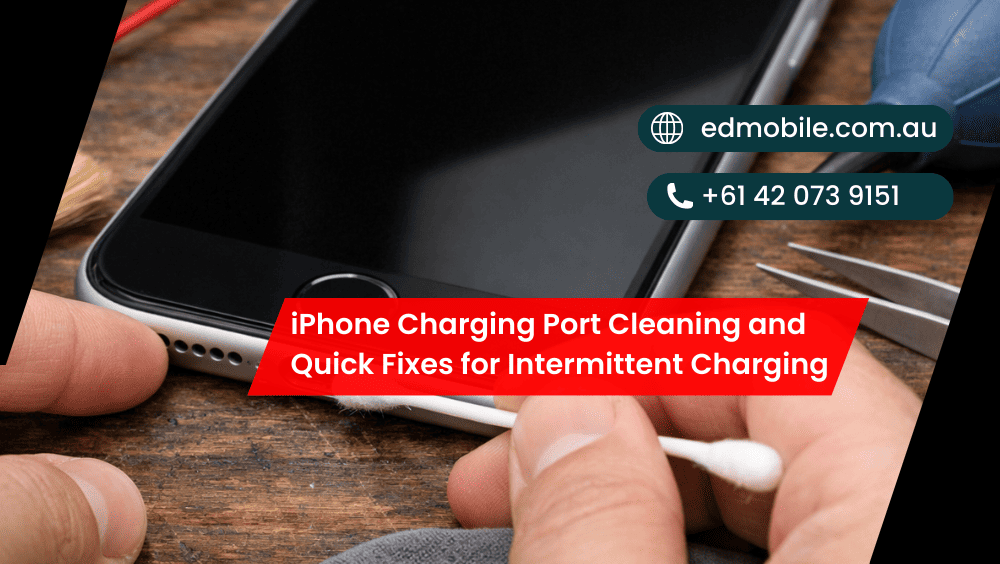
iPhone Charging Port Cleaning and Quick Fixes for Intermittent Charging
Nothing’s more annoying than plugging your iPhone in… and it charges for two seconds, stops, then starts again when you jiggle the cable “just right”. That intermittent charging behaviour usually has a simple cause—lint, gunk, a tired cable, or a loose connection. The good news? You can try a few safe checks at home before […]
Nothing’s more annoying than plugging your iPhone in… and it charges for two seconds, stops, then starts again when you jiggle the cable “just right”. That intermittent charging behaviour usually has a simple cause—lint, gunk, a tired cable, or a loose connection. The good news? You can try a few safe checks at home before you book a repair.
In this guide, we’ll walk through iPhone charging port cleaning, easy troubleshooting steps, and the red flags that mean you should stop DIY and let a tech handle it (so you don’t turn a small issue into a big one).
Common signs your iPhone port needs attention
If you’re seeing any of these, your port probably needs a clean or the connection needs troubleshooting:
* iPhone not charging unless the cable is held at an angle
* Charging starts/stops repeatedly (intermittent charging)
* The phone charges slowly even on a fast adapter
* The cable feels loose or doesn’t “click” in properly
* You see “Accessory not supported” or random disconnects
* CarPlay drops out when you hit bumps
* Your iPhone charges wirelessly fine, but not by cable
What usually causes intermittent charging?
Most of the time, it’s not some mysterious “battery problem”. It’s one (or a mix) of the following:
1) Pocket lint and compacted dust
A charging port is basically a lint magnet. Over weeks, dust compresses into a solid little mat at the back of the port. Then your cable can’t seat properly, so it charges on/off.
2) Worn or dodgy cable
A frayed cable, loose plug, or cheap non-certified lead can cause intermittent charging even if the port is fine. Also, some cables “look new” but the internal wires are cooked.
3) Moisture or corrosion
Even your water-resistant iPhone will have moisture in its port. Corrosion can create inconsistent contact. If the phone has recently been exposed to water, avoid rushing into using cleaning liquids.
4) Bent pins / damaged port
Repeated yanking or charging while gaming can strain the port. Eventually you get a loose connection that no amount of cleaning fixes. At that point, you may need a charging port repair or replacement.
5) Software glitches
It may sound surprising, but a misbehaving background job or hinky iOS update can result in these charging oddities. It’s not widespread but it does occur. Get details on Phone Repair in Wetherill Park.
Before you clean: do these quick checks first (2 minutes)
These steps often fix the issue without touching the port.
Step 1: Restart your iPhone
Simple, yes. Still effective. A restart can clear the weird “charging but not charging” state.
Step 2: Try a different power source
Switch from a power board to a wall socket. Then try another adapter. Next, try a different cable.
Pro tip: Use Apple cable or good quality MFi-certified cable (for Lightning). In the case of USB-C models, use a high-quality USB-C cable with correct charging capacity.
Step 3: Check the cable tip
Look closely at the connector. If it’s bent, chipped or stained, stop using it. A broken connector may make a scratch or damage the port.
Step 4: Inspect the port with a torch
A phone torch + a quick look can reveal lint buildup. If you see a fuzzy grey wall at the back, that’s likely your culprit. Looking for a Phone Repair in Bossley Park?
Safe iPhone charging port cleaning (the right way)
Let’s do iPhone charging port cleaning safely. You don’t need fancy tools, and you definitely don’t need a metal pin.
What you’ll need
* A wooden toothpick or a plastic flosser pick (not metal)
* A soft dry brush (a clean toothbrush works)
* Compressed air (optional, but use carefully)
* A torch
* Patience (seriously)
Step-by-step cleaning
- Power the iPhone off
Don’t clean while the phone is on. It reduces risk, and it’s just smarter. - Hold the phone with the port facing down
This helps debris fall out instead of going deeper. - Brush first
Use a dry soft brush to loosen surface dust. Gentle strokes, no force. - Use a wooden toothpick carefully
Lightly scrape the bottom of the port. Don’t stab. Don’t poke upwards.
Your goal is to lift lint out, not compact it further. - Check your progress often
Shine the torch inside. You’ll usually pull out surprising amounts of lint. - Optional: a quick puff of compressed air
If you use compressed air, do short bursts from a slight distance. Don’t blast it like you’re cleaning a keyboard. - Test charging
Turn the phone back on and test with a known-good cable and adapter.
What NOT to do (please)
* Don’t use metal pins, paperclips, SIM tools, tweezers
* Don’t pour alcohol or spray cleaner into the port
* Don’t use WD-40 (yep, people try it)
* Don’t jam the cable in harder—this can bend contacts
If the port feels loose, cleaning won’t “tighten” it. That’s usually wear or damage. Get details on Mobile Repair Shop in Prestons.
Quick fixes for intermittent charging (that aren’t cleaning)
If the port looks clean but charging still drops in and out, try these:
1) Clean the cable connector too
Wipe the connector with a dry, lint-free cloth. If you see grime on the metal contacts, that can cause a sketchy connection.
2) Try “airplane mode” for 30 seconds
It sounds random, but it can settle background activity while you test charging. Then switch it off again.
3) Check for iOS updates
Go to Settings → General → Software Update. A minor update can fix power-management bugs.
4) Reset settings (not erase)
Settings → General → Transfer or Reset iPhone → Reset → Reset All Settings.
This doesn’t delete your photos, but it resets network/settings and can help in some cases.
5) Stop charging while the phone is overheating
If your iPhone is hot (sun, car, heavy gaming), charging can behave inconsistently. Cool it down first.
6) Use wireless charging temporarily
If cable charging is unreliable, wireless charging can keep you going until you get the port checked. Looking for a Phone Repair in ED Park?
A simple troubleshooting checklist
| What you notice | Most likely cause | Best next step |
| Cable only charges at an angle | Lint or worn port | Clean port, then test |
| Charges on/off with one cable only | Faulty cable | Replace cable |
| Charges fine on wall, not in car | Weak car USB | Use a quality car charger |
| “Accessory not supported” | Non-certified lead | Try Apple/MFi cable |
| Port looks clean but feels loose | Port wear/damage | Book charging port repair |
When to stop DIY and visit ED Mobile
DIY is fine for basic lint removal. However, you should book a check if:
* Your iPhone still shows intermittent charging after cleaning + new cable
* The charging plug feels wobbly or slips out easily
* You see green/white residue (possible corrosion)
* The phone got wet recently and charging became unreliable
* The port looks damaged, bent, or burnt
* Charging works only with pressure or “holding it in”
At ED Mobile, we can test the cable, adapter, battery health, and port connection properly—then recommend the most sensible fix. Sometimes it’s a simple clean and reseat. Other times, you need a charging port replacement (and it’s best done properly, not improvised).
Related Articles:
» iPhone Screen Repair in Edmondson Park
» iPhone Back Glass Replacement in Fairfield
» iPhone water damage repair in Prestons
» iPhone water damage repair in Campbelltown
» iPhone water damage repair in Oran Park
» iPhone Back Glass Replacement in Edmondson Park
» iPhone Data Recovery in Liverpool
» iPhone Battery Replacement in Edmondson Park
» iPhone Battery Replacement in Leppington
How to prevent the problem coming back
* Keep your iPhone out of lint-heavy pockets (especially with tissues)
* Don’t charge with wet hands or near humidity
* Unplug by gripping the plug, not yanking the cable
* Use quality cables (cheap ones cause drama)
* If you work in dusty environments, consider a small port plug
A little prevention saves you a lot of frustration later, honestly.


Leave a Reply
Comments are closed for this post.