

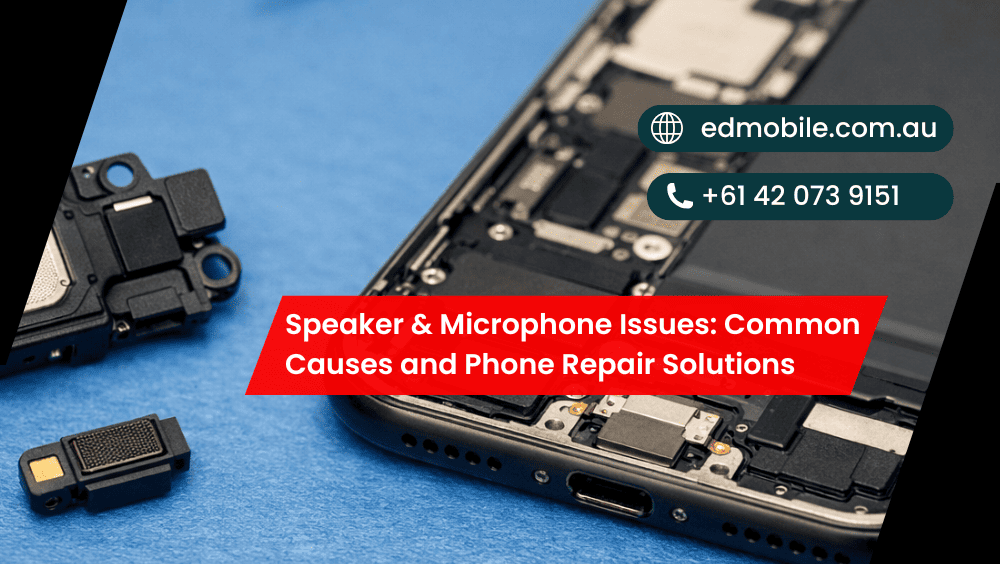
Speaker & Microphone Issues: Common Causes and Phone Repair Solutions
When the speaker on your phone suddenly stops working, or the microphone just starts cutting out, it’s more than a little annoying — it can make communication nearly impossible for calls and apps that rely on voice commands and recording. Luckily, a lot of speaker/mic problems have simple causes — and solution is often straightforward without requiring […]
When the speaker on your phone suddenly stops working, or the microphone just starts cutting out, it’s more than a little annoying — it can make communication nearly impossible for calls and apps that rely on voice commands and recording. Luckily, a lot of speaker/mic problems have simple causes — and solution is often straightforward without requiring you to get rid of your whole device.
At ED Mobile we encounter these issues frequently. So let’s parse what’s likely to go wrong, what you can try safely at home and when repair by phone is the better way to go.
Quick signs your speaker or microphone is failing
You’ll often notice one or more of these:
* Calls sound muffled, tinny, or too quiet (earpiece or loudspeaker issue)
* People can’t hear you on calls (bottom mic, top mic, or software setting)
* Voice recordings sound faint, crackly, or robotic
* Loudspeaker works, but the earpiece doesn’t (or the other way around)
* Microphone works in one app (WhatsApp) but not in another (Phone app)
* Sound cuts in and out when you move the phone
* Speaker crackles at higher volume
Symptoms can overlap,but the key is whether its software or blocked ports or water damage or internal hardware. Get details on Phone Repair in Wetherill Park.
Common causes of speaker problems (and what they look like)
1) Dust, lint, and pocket debris
If your audio is muffled or low, it could be that something is blocking the speaker grille.There are times when your phone is kept inside jeans,work pants or a grimy bag.
Clue: Sound perks up when you tilt the phone or turn up the volume.
2) Water or moisture exposure
Even phones that claim to be “water-resistant” can have their moisture protection overwhelmed by splashes, steam, rain or sweat. Sound can bend or crack if it gets wet, and may corrode over the long term.
Clue: Crackling started after a beach day, gym session, or a wet pocket.
3) Drop damage and loose internal connections
A fall can move the speaker module, break flex cables or crack solder joints. Now and then the phone does work just fine… until it doesn’t.
Clue: Speaker works sometimes, then stops, especially after another small knock.
4) Bluetooth or audio routing settings
Sometimes your phone really is playing audio through a linked car, earbuds or remembered Bluetooth speaker.
Clue: Volume shows “up”, but you still hear nothing.
5) Software glitches and corrupted audio drivers
Updates can cause bugs. Also, apps can conflict with audio permissions or audio focus.
Clue: Speaker fails only in one app, or after an update. Looking for a Phone Repair in Minto?
Common causes of microphone problems (and why callers can’t hear you)
1) Blocked microphone ports (lint + grime)
Almost all phones have more than one microphone: bottom mic (calls), top mic (noise cancelling) and sometimes additional mics for video.A clogged bottom mic can give the sound of your voice distance.
Clue: Voice notes are faint, and calls are worse in windy areas.
2) Liquid damage (again, a big one)
Moisture can short mic circuits or degrade audio quality over days.
Clue: Your voice sounds “underwater” or distorted.
3) Damaged mic flex cable or board-level faults
A drop can damage the microphone itself or the flex cable that connects it. Some models also develop board-level issues after repeated impacts.
Clue: Mic cuts out when you press near the charging port or frame.
4) App permissions and noise suppression settings
If an app loses microphone permission, it may record silence. Also, some “noise suppression” features can over-filter.
Clue: Mic works in phone calls but not in Instagram, or vice versa.
5) Third-party accessories
Cheap earphones, adapters, or cases can interfere with mic pickup.
Clue: Mic fails only when a headset is plugged in. Get details on Mobile Repair Shop in Liverpool.
What you can try at home (safe checks before repair)
Before booking a phone repair, try these quick steps. They solve a surprising number of cases.
Step-by-step troubleshooting
- Restart your phone (simple, but it clears audio routing bugs).
- Turn Bluetooth OFF, then test the speaker and call again.
- Check Do Not Disturb / Focus modes (some settings reduce call volume).
- Test with another app
- Record a voice note
- Make a normal call
- Try speakerphone
- Test video recording audio
- Inspect speaker/mic grilles under bright light.
- Gently clean external grilles
Use a soft brush (dry). Avoid pins, needles, or metal objects — they can puncture mesh or push dirt deeper. - Update iOS/Android (or roll back problematic apps).
- Reset app permissions for mic access if needed.
If nothing changes, it’s likely hardware — and that’s where proper diagnosis matters. Looking for a Mobile Repair Shop in Austral?
Speaker vs Microphone: symptom-to-cause table
| Symptom | Likely Cause | Best Fix |
| Speaker sounds muffled/quiet | Dust/lint blocking grille | Careful cleaning or speaker replacement |
| Crackling at high volume | Water damage / blown speaker | Speaker repair + internal inspection |
| People can’t hear you on calls | Blocked mic / mic failure | Microphone replacement or port clean |
| Mic works on speakerphone but not normal calls | Bottom mic issue / settings | Mic repair + software checks |
| Audio works with headphones only | Speaker module failure | Phone speaker repair |
| Voice recordings distorted | Moisture or mic damage | Mic repair + corrosion check |
When you should stop DIY and get a proper phone repair
Some problems get worse fast if you keep using the device, especially after moisture exposure.
Seek help if:
* Your phone was exposed to water/steam and audio changed afterwards
* Sound cuts in/out when you move the phone
* The mic is silent across multiple apps
* Speaker crackles or distorts badly (it can fail completely soon)
* You rely on the phone for work and can’t risk downtime
At ED Mobile, we test with known-good parts and run checks so you don’t waste money on “guess repairs”. Also, we’ll tell you honestly if it’s not worth fixing. Get details on Mobile Repair Shop in Leppington.
What a professional repair usually involves
A quality speaker & microphone repair isn’t just swapping parts and hoping.
Typically, we:
* Diagnose which mic (or speaker) is actually failing
* Inspect for moisture markers and corrosion
* Check charging port area (common contamination zone)
* Confirm audio routing and software health
* Replace the faulty module (speaker, earpiece, mic flex, or port assembly)
* Retest calls, voice notes, video audio, and loudspeaker output
And yep — sometimes it’s more than one part. Phones like to be dramatic.
Related Articles:
» iPhone Screen Repair in Prestons
» iPhone Back Glass Replacement in Ingleburn
» iPhone Back Glass Replacement in Oran Park
» iPhone water damage repair in Prestons
» iPhone water damage repair in Casula
» iPhone water damage repair in Fairfield
» iPhone Data Recovery in Prestons
» iPhone Data Recovery in Oran Park
» iPhone Data Recovery in Moorebank
» iPhone Battery Replacement in Ingleburn
Tips to prevent speaker and mic issues
* Use a decent case, but make sure it doesn’t block mic holes
* Keep phones away from steam (bathrooms are sneaky)
* Don’t blast max volume for long periods
* Clean pockets and bags (lint is the silent killer)
* Avoid “compressed air” too close — it can push debris deeper
ED Mobile: speaker & microphone repairs in Australia
If your phone speaker not working or microphone not working has turned into daily frustration, bring it to ED Mobile. We’ll diagnose it properly, explain the fix in plain English, and get your audio clear again — calls, voice notes, videos, the lot.


Leave a Reply