

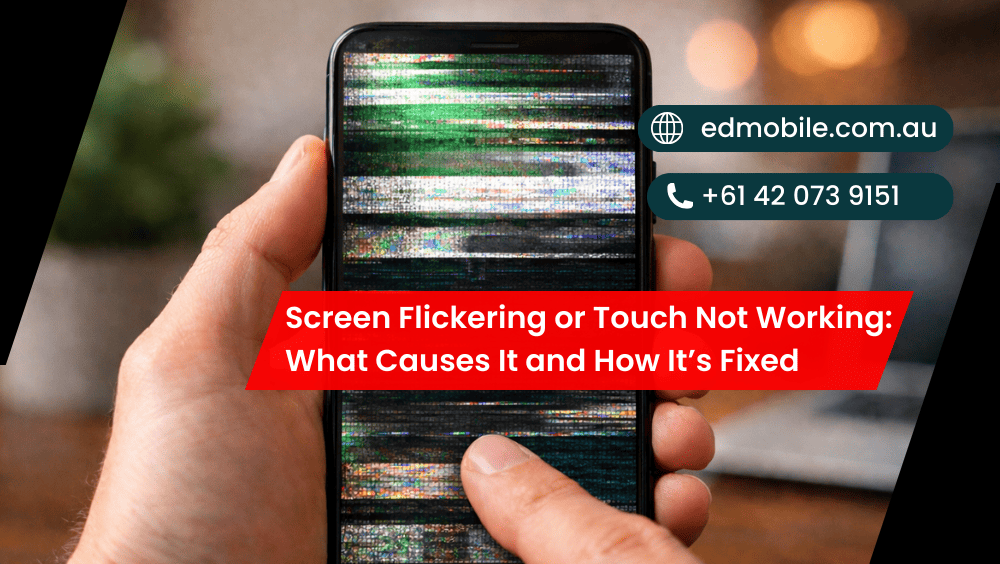
Screen Flickering or Touch Not Working: What Causes It and How It’s Fixed
If your phone screen starts flickering, flashing, going dim-bright-dim, or the touch not working properly, it’s not just annoying — it can also be a warning sign. Sometimes it’s a simple settings issue. Other times, it’s a hardware fault that gets worse if you keep using the device “as is”. At ED Mobile, we see […]
If your phone screen starts flickering, flashing, going dim-bright-dim, or the touch not working properly, it’s not just annoying — it can also be a warning sign. Sometimes it’s a simple settings issue. Other times, it’s a hardware fault that gets worse if you keep using the device “as is”.
At ED Mobile, we see these problems every week across iPhone, Samsung, Oppo, Google Pixel, Huawei, Xiaomi and more. The good news? In most cases, a proper diagnosis and the right repair fixes it fast, without guesswork.
And yep, it’s better to deal with it early — because a small loose connector today can turn into a full screen replacement tomorrow.
Quick signs you’re dealing with screen flicker or touch issues
You might notice one or more of these:
* Screen flickering when brightness is low or high
* Random flashing, lines, or the display “shaking”
* Touch delay (tap… wait… then it responds)
* “Ghost touch” (it clicks by itself)
* Touch works in some areas but not others
* Touch stops working after a drop or water exposure
* Screen looks fine, but touch is dead
Now, let’s break down what causes it. Get details on Phone Repair in Fairfield.
What causes screen flickering on a phone?
1) Loose display connector (common after drops)
A phone drop can get the display flex cable slightly loose. Because of this, the phone will still turn on but the signal between the screen and mainboard is short-lived. That’s when screen flickering, random dimming or horizontal lines appear.
How ED Mobile fixes it:
We open the device, reseat its connector, examine the flex cable and run the display under load. In case the cable or screen is damaged, a safe screen repair option can also be recommended.
2) Damaged display flex cable
The cable underneath can tear or pinch even if the glass isn’t broken. Some aftermarket screens also have a weaker flex cable, which makes them fail quicker too.
Fix: Replace the damaged part (often the full screen assembly), then test for stability and touch accuracy.
3) Display panel failure (LCD/OLED)
Over time, the panel itself can fail — especially after impact, pressure in the pocket, or exposure to heat. OLED screens may flicker or pulse. LCD screens may show lines or “backlight” flicker.
Fix: A quality screen replacement is usually the permanent solution.
4) Battery or power instability
This one surprises people. An expanding or otherwise compromised battery may cause power fluctuations that show up as walking screens, undetectable brightness and touch problems. Additionally, should the battery swell it can press against the display from behind.
Fix: Battery replacement + internal inspection (and screen check if the panel has pressure damage).
5) Software glitches or buggy updates
In other cases, the screen flicker starts almost immediately after some sort of update, new app install or corrupted system setting. Display refresh settings or accessibility features, for example, can conflict.
Fix: We test in Safe Mode, adjust display settings, update firmware if needed, and check if a reset is required (only after backing up your data).
6) Water or moisture damage
Even a “little splash” may corrode around the display connector. The result of this may be flicker, touch failure or random input.
Fix: Full inspection, cleaning, corrosion treatment, and replacement of damaged parts where needed. Looking for a Phone Repair in Campbelltown?
What causes touch not working (or ghost touch)?
1) Digitiser damage (touch layer failure)
You also have a digitiser layer on touch screens that reads your taps and swipes. It can also suddenly fail after a drop, even if the screen still shows a picture.
Fix: Replace the screen assembly (or digitiser, depending on model).
2) Poor-quality replacement screens
If your phone got a cheap screen repair at some point, touch troubles could develop later on: delays, dead zones or ghost touches.
Fix: Replace with a reliable part and calibrate touch response properly.
3) Screen protector issues
Cracked protectors, thick tempered glass, or low-quality protectors can cause touch sensitivity issues — especially on curved screens.
Fix: Remove the protector and test touch. If it improves, replace it with a better protector.
4) Storage full or phone overheating
Phones lag badly when they run out of storage space or get very hot. That lag can feel like the touch isn’t working, but it’s really the system freezing up.
Fix: Clear storage, close background apps, and check battery health and temperature behaviour.
5) Charger or cable interference
A faulty charger or cheap cable can cause “phantom touch” because of electrical noise.
Fix: Test with an original or certified charger. If the ghost touch stops, you’ve found the culprit. Looking for a Mobile Repair Shop in Liverpool?
DIY checks you can do before booking a repair
These quick steps can save time (and sometimes fix the issue):
- Restart the phone (basic, but it works often)
- Remove screen protector and clean the screen
- Try a different charger/cable
- Check storage space (keep at least 5–10GB free)
- Boot in Safe Mode (Android) and test touch
- Turn off adaptive brightness / extra dim / accessibility features temporarily
- Back up data if flicker is getting worse
However, if the phone was dropped, got wet, or the flicker is constant, don’t keep pushing it. Instead, get it checked before the display fully fails.
How ED Mobile diagnoses the problem
At ED Mobile, we follow a clear process:
Step 1: Visual + behaviour test
We test brightness levels, refresh behaviour, and touch mapping. We also check for dead zones and ghost touch.
Step 2: Hardware inspection
We check the display connector, flex cable, and evidence of water or corrosion. If required we will test with a known-good screen to determine if the panel or board is faulty.
Step 3: Repair and quality checks
After repair, we test:
* Display stability (no flicker)
* Touch accuracy and multi-touch
* Proximity sensor function
* Face ID / fingerprint (model dependent)
* Brightness and colour consistency
So you leave with a phone that feels normal again — not “kind of fixed”. Get details on Phone Repair in ED Park.
Common repair options
| Issue | Likely Cause | Typical Fix |
| Flicker after drop | Loose connector / damaged flex | Reseat connector or screen repair |
| Flicker with lines | Panel failure | Screen replacement |
| Touch dead in spots | Digitiser damage | Screen replacement |
| Ghost touch | Digitiser fault / charger noise | Screen test + replace if needed |
| Flicker after update | Software issue | Settings reset / firmware fix |
| Flicker + swollen back | Battery swelling | Battery replacement + inspection |
How to prevent screen flicker and touch issues in the future
You can’t avoid every accident. Still, these habits help a lot:
* Use a quality case with raised screen edges
* Don’t leave the phone in a hot car (heat kills displays)
* Avoid cheap chargers and cables
* Replace a swelling battery ASAP
* Get cracks repaired early (cracks let moisture in)
Also, if your phone flickers only sometimes, don’t ignore it. It usually becomes “all the time” later. Looking for a Phone Repair in Bossley Park?
When you should stop using the phone immediately
If you notice any of these, power it down and get it checked:
* Flicker plus burning smell or extreme heat
* Screen lifting or bulging (possible battery swelling)
* The display goes black randomly
* Water exposure within the last 24–48 hours
Your data and safety matter more than “just one more day”.
Related Articles:
» How to Fix a Phone That Won’t Charge?
» How to Improve Your Phone’s User Experience?
» How to Fix Overheating Issues in Smartphones?
» 10 Tips for Preventing Phone Damage
» How to Extend the Life of Your Smartphone?
» Mobile Screen Replacement: Signs It’s Time for a New Screen
» Repairing Your Xiaomi Phone: What to Expect?
» Software Issues: How to Troubleshoot Your Phone
» Phone Data Recovery Services: What You Need to Know?
» How to Clean Your Phone Safely?
Solving Screen Flickering & Touch Problems
A flickering screen or touch not working isn’t something you should “live with”. Instead, treat it like a warning light. With the right diagnosis and quality parts, most devices can be restored properly — and you’ll stop fighting your phone every time you try to type a message.


Leave a Reply